All-in-one business system

Complete business control, from a single system.

Built for businesses that are serious about growth. Henora gives leadership clear visibility and gives teams a dependable way to work.

Free to use under a signed agreement.

Henora
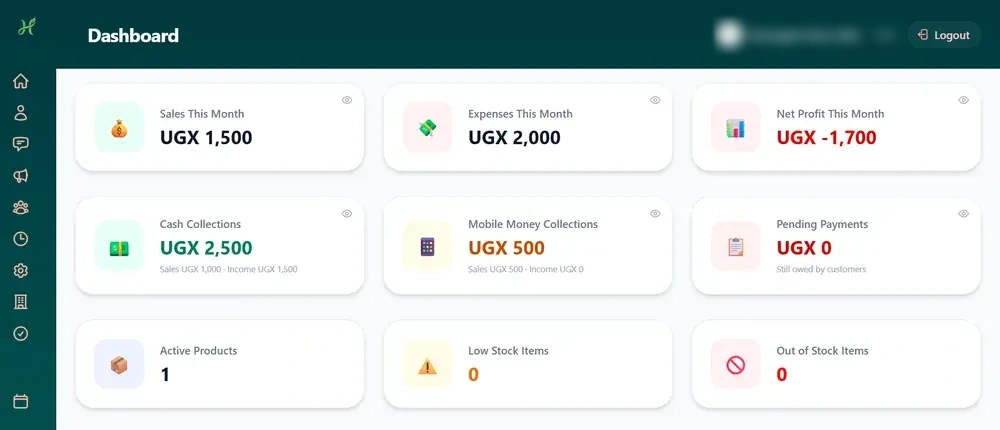
Henora dashboard on a computer
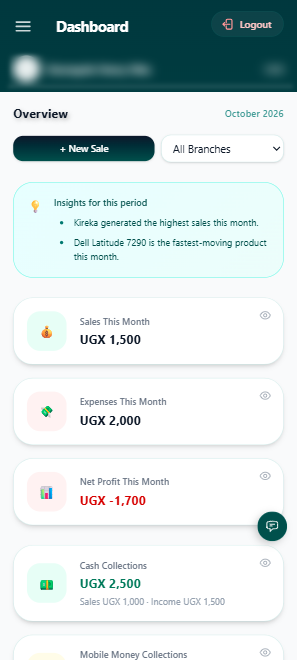
Henora dashboard on a phone
Henora
Henora dashboard on a computer
Henora dashboard on a phone
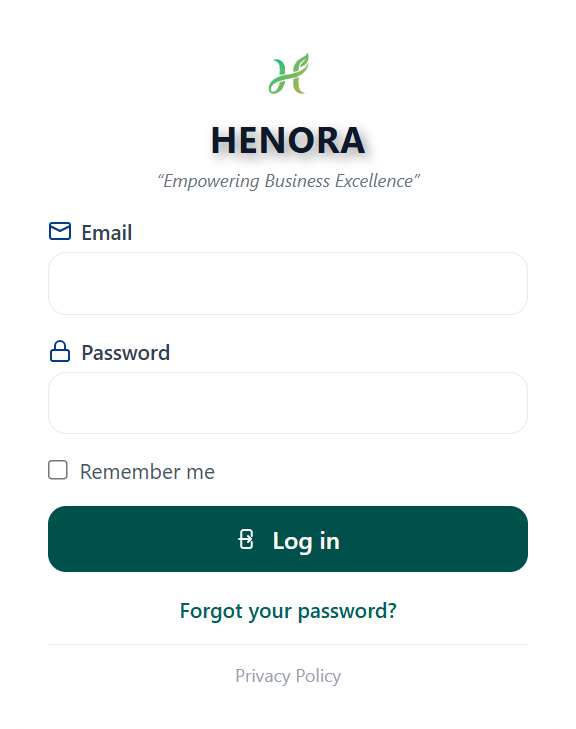
Henora sign-in page

Inside the system

Henora, built for the way your business works.

Every screen below is the real system in action: sales, stock, people, money and approvals, all in one place, for businesses of any size or industry.

Henora sign-in page
Live dashboard
Live dashboardSales by branch and best sellers, updated as sales happen
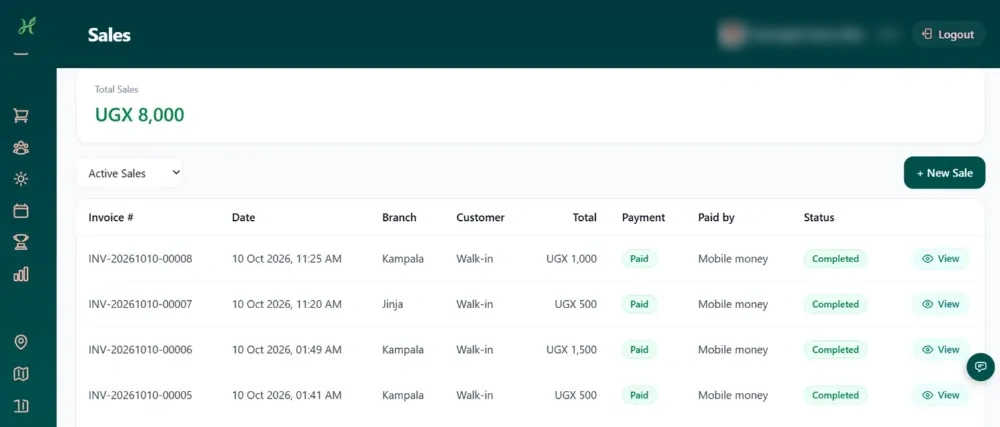
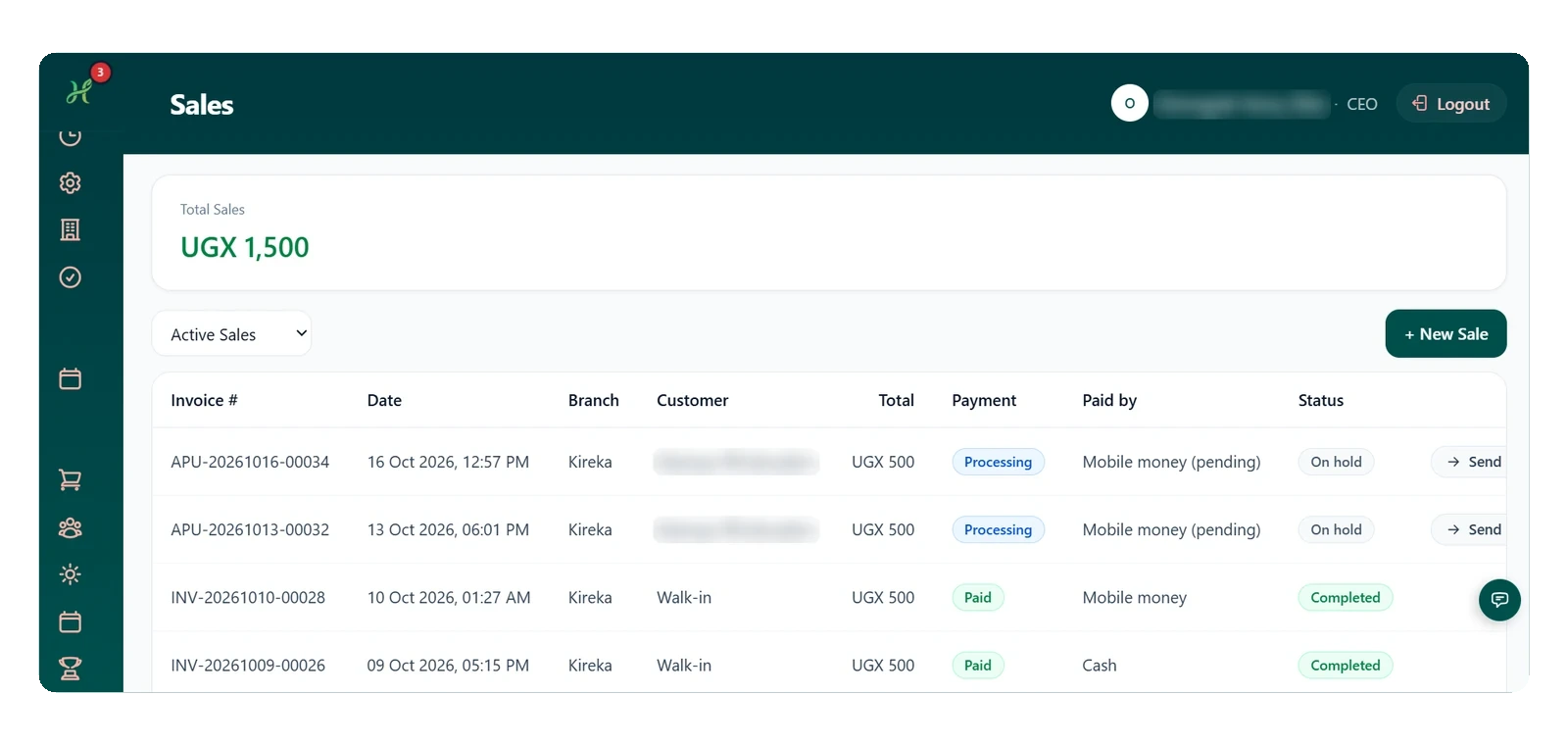
Sales
SalesEvery invoice, branch and payment method in one list
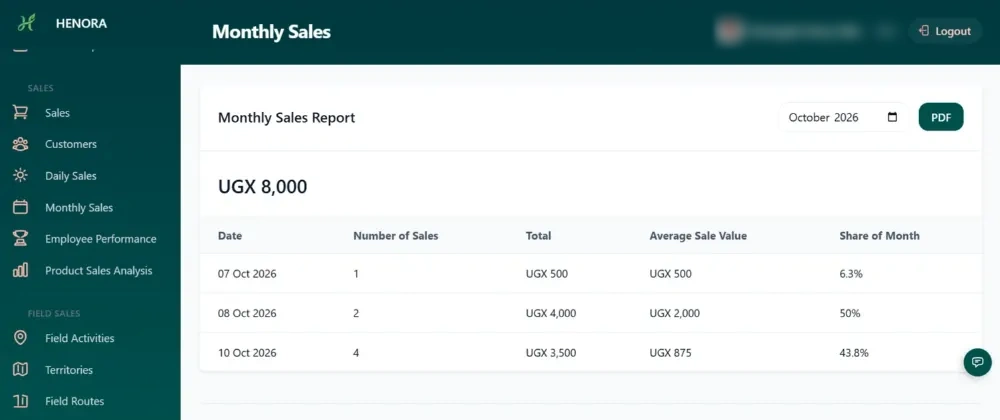
Monthly sales report
Monthly sales reportDaily totals and share of the month, exportable to PDF
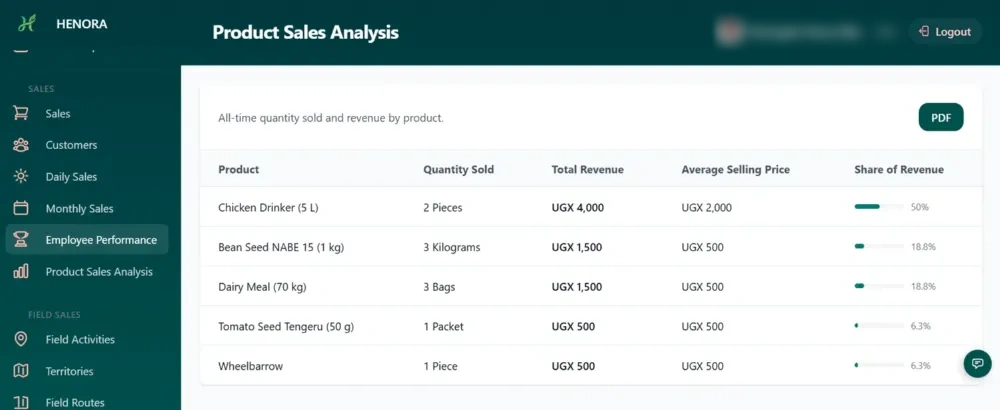
Product analysis
Product analysisQuantity sold and revenue share for every product
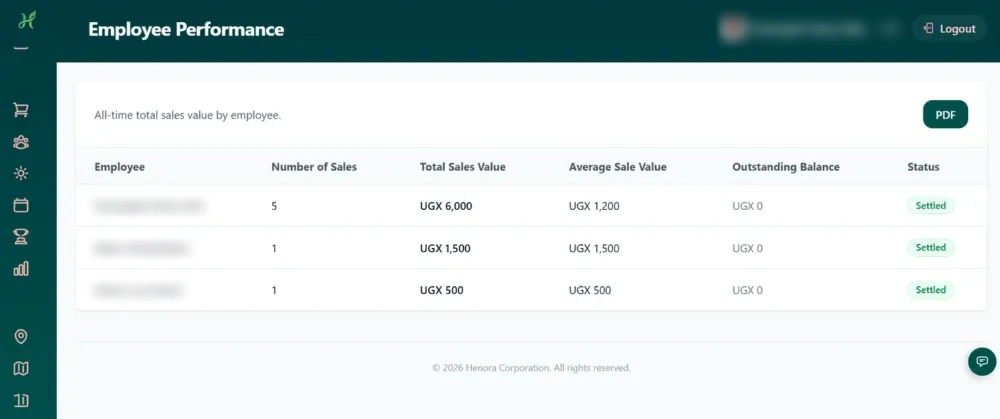
Employee performance
Employee performanceSee who sold what and which balances are settled
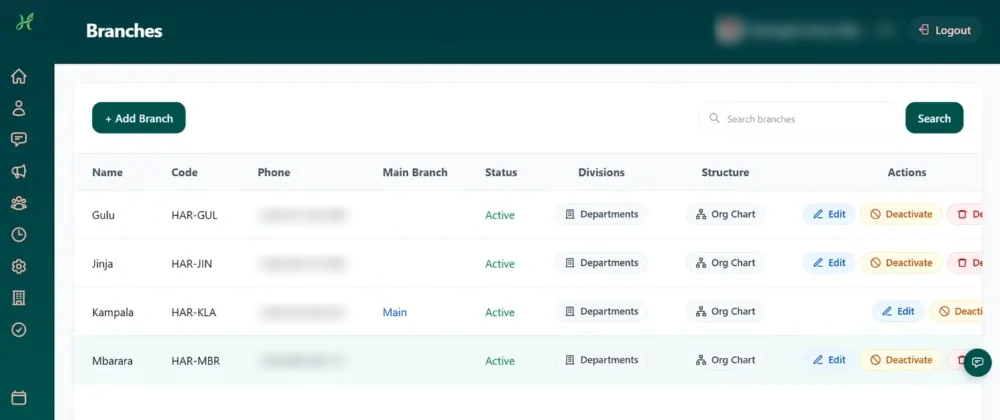
Branches
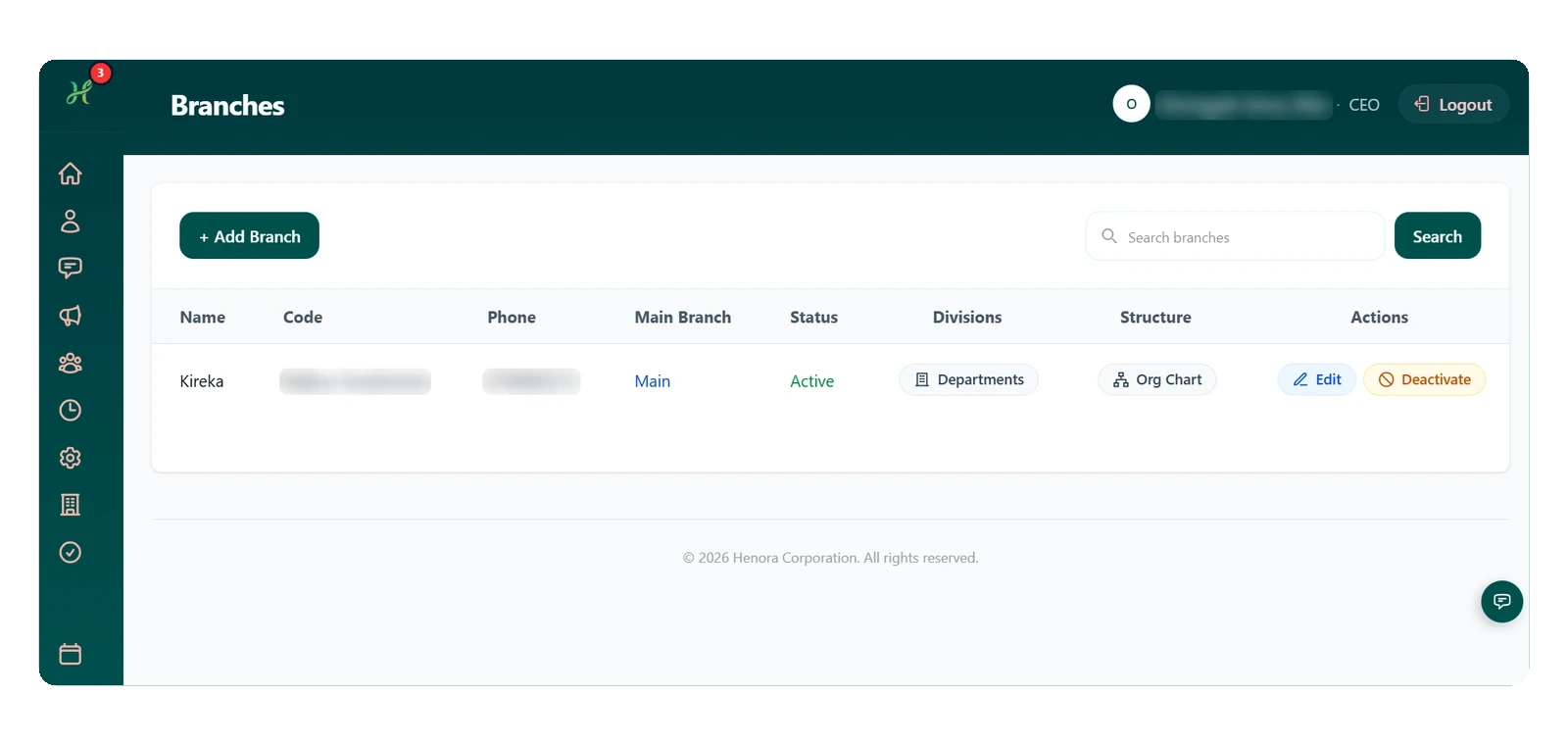
BranchesEvery branch managed under one roof
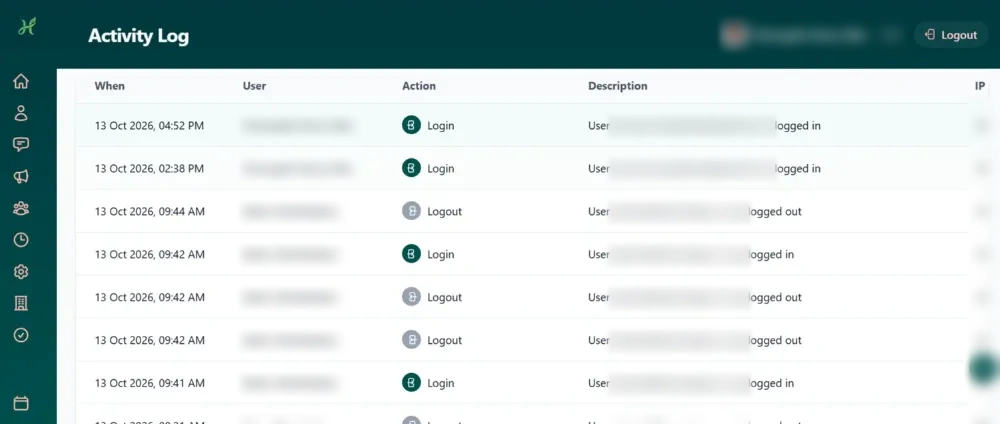
Activity log
Activity logWho logged in, when, and from where
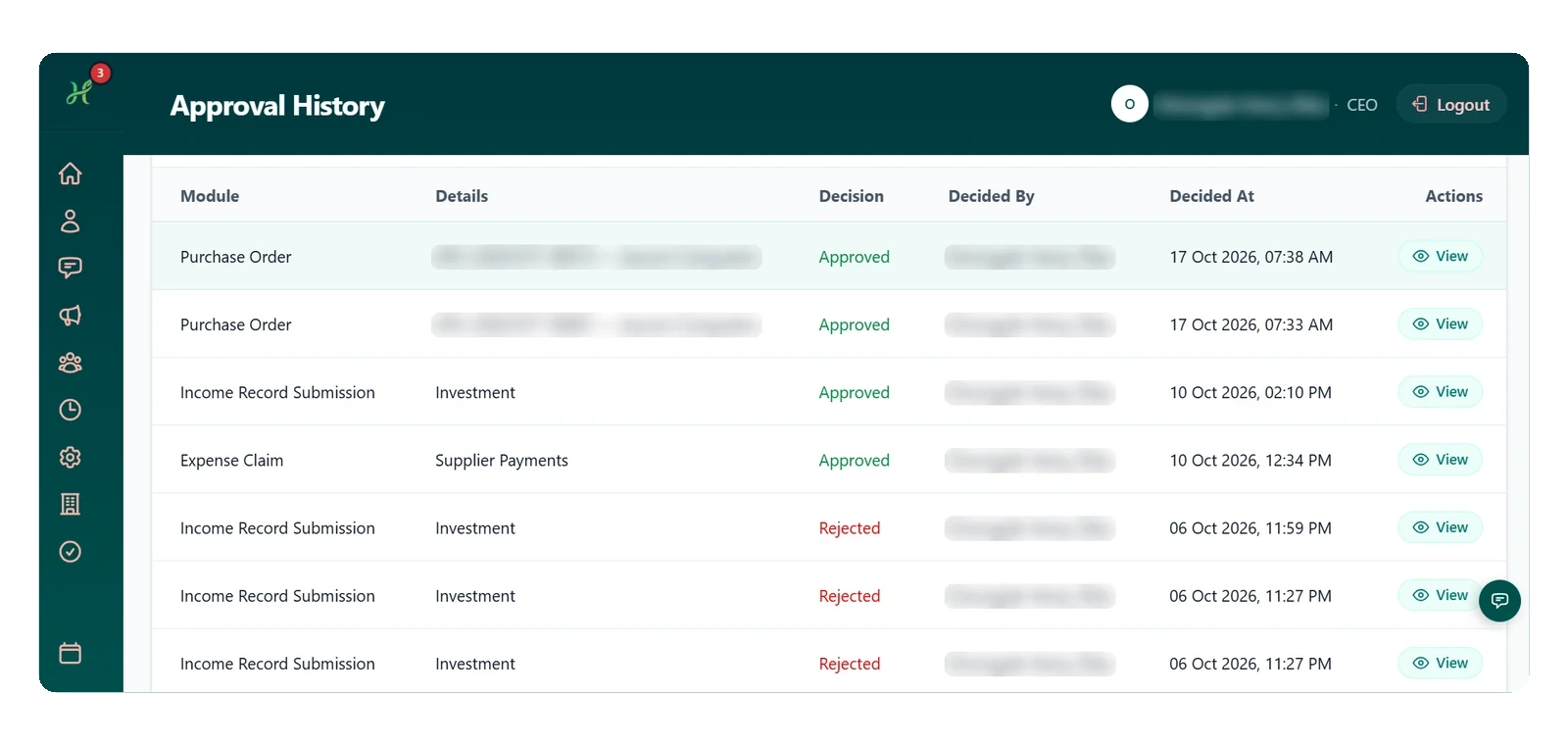
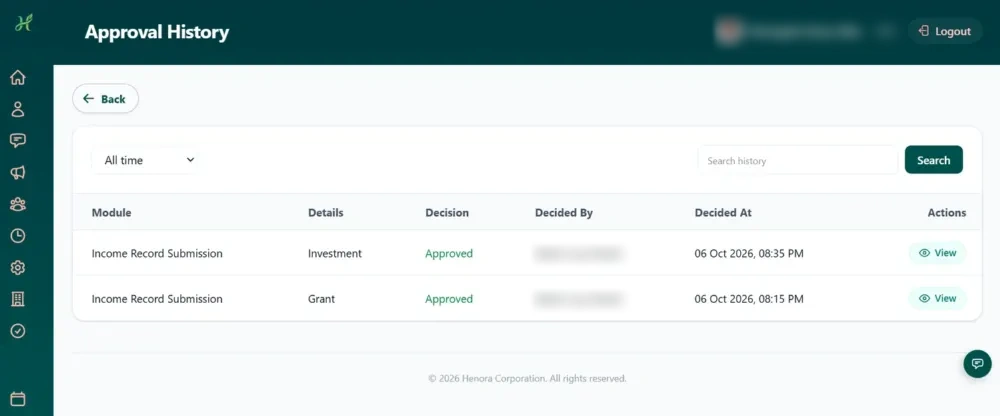
Approval history
Approval historyEvery decision recorded with who made it

Built for daily sales

From the first sale to the final report.

Every sale, every role and every report works from the same records, so your whole team sees the same picture and decisions rest on facts.

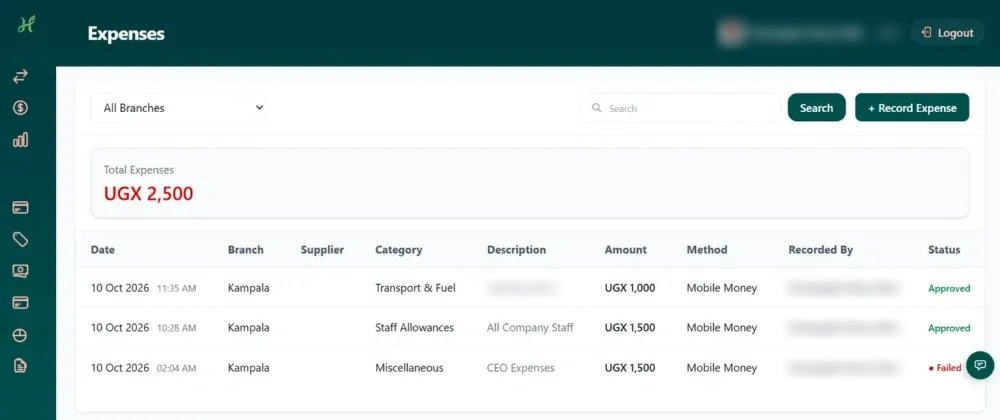
Expenses
ExpensesRecord, approve and track what the business spends
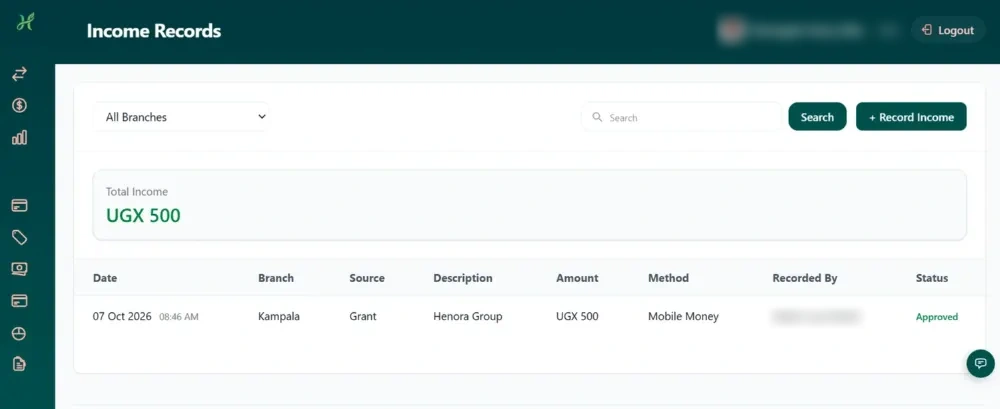
Income records
Income recordsEvery source of income, recorded per branch
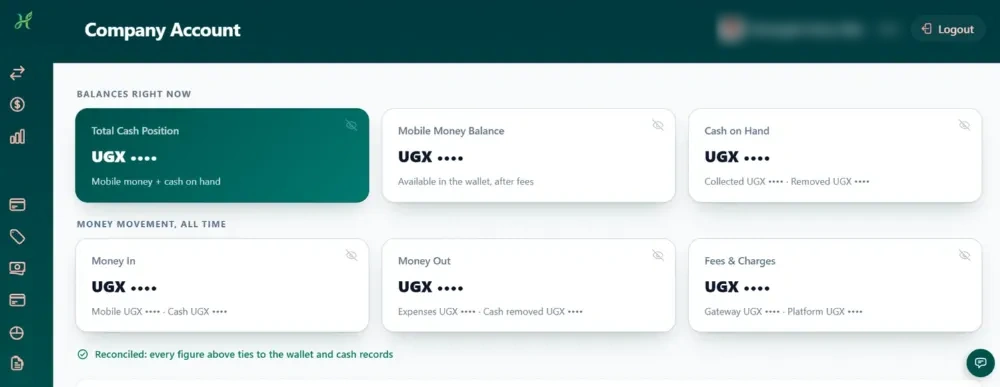
Business wallet
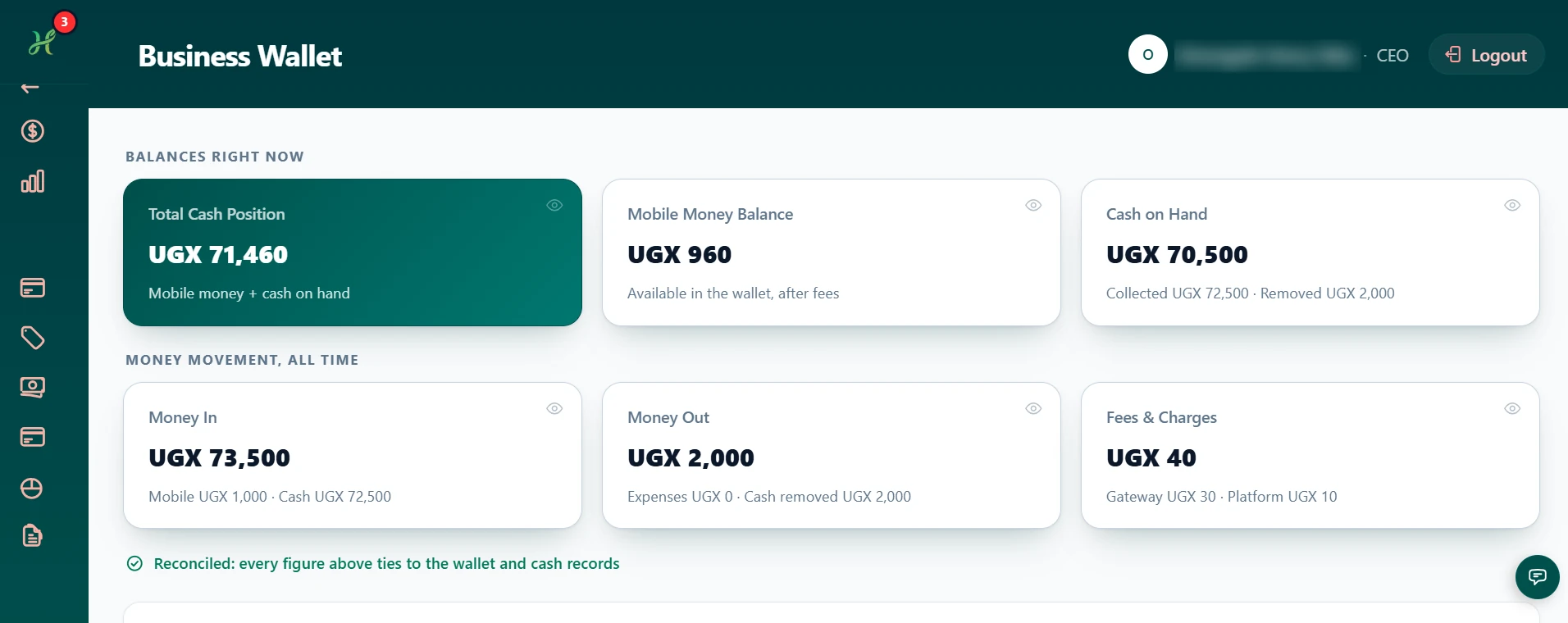
Business walletMobile money and cash, reconciled to the record
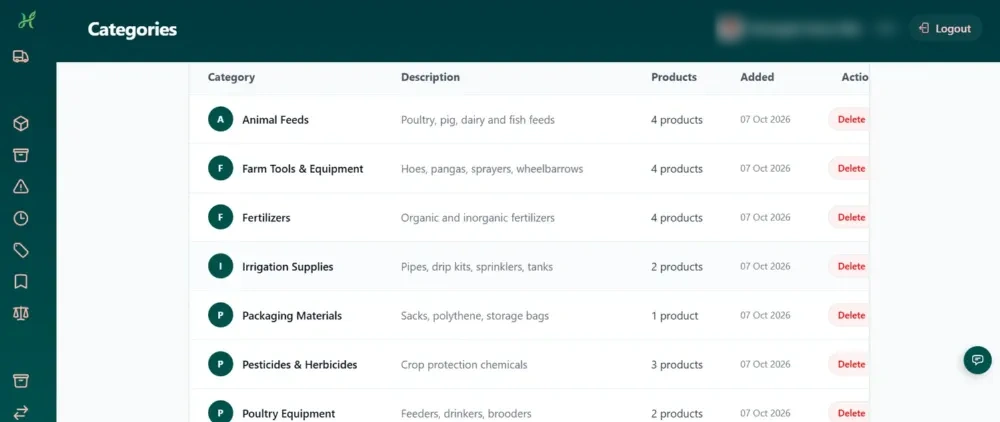
Product categories
Product categoriesGroup your products your way, neatly organised
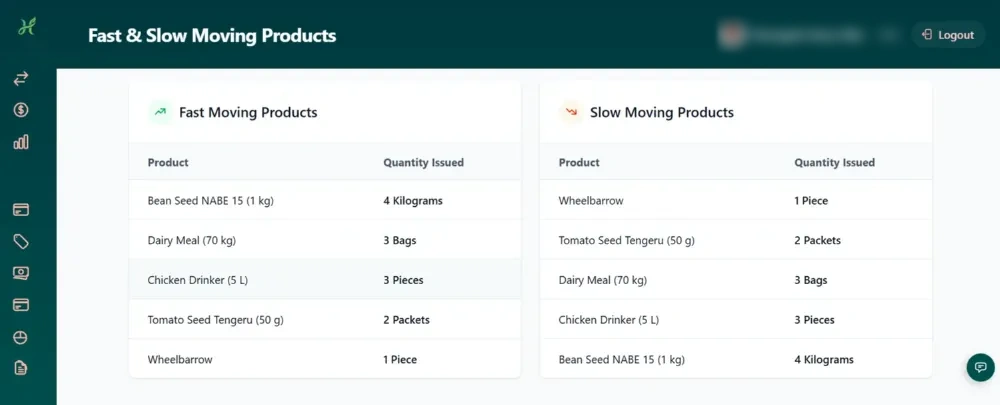
Fast and slow movers
Fast and slow moversKnow what to restock and what to stop buying
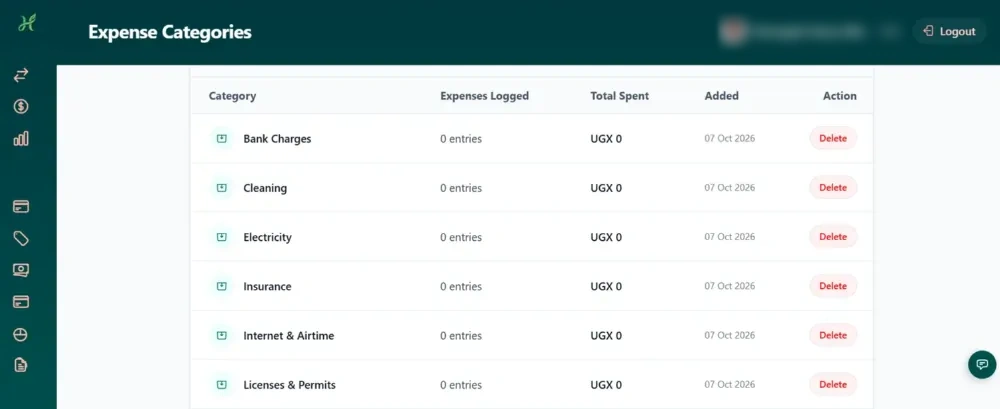
Expense categories
Expense categoriesSpending organised the way accountants expect
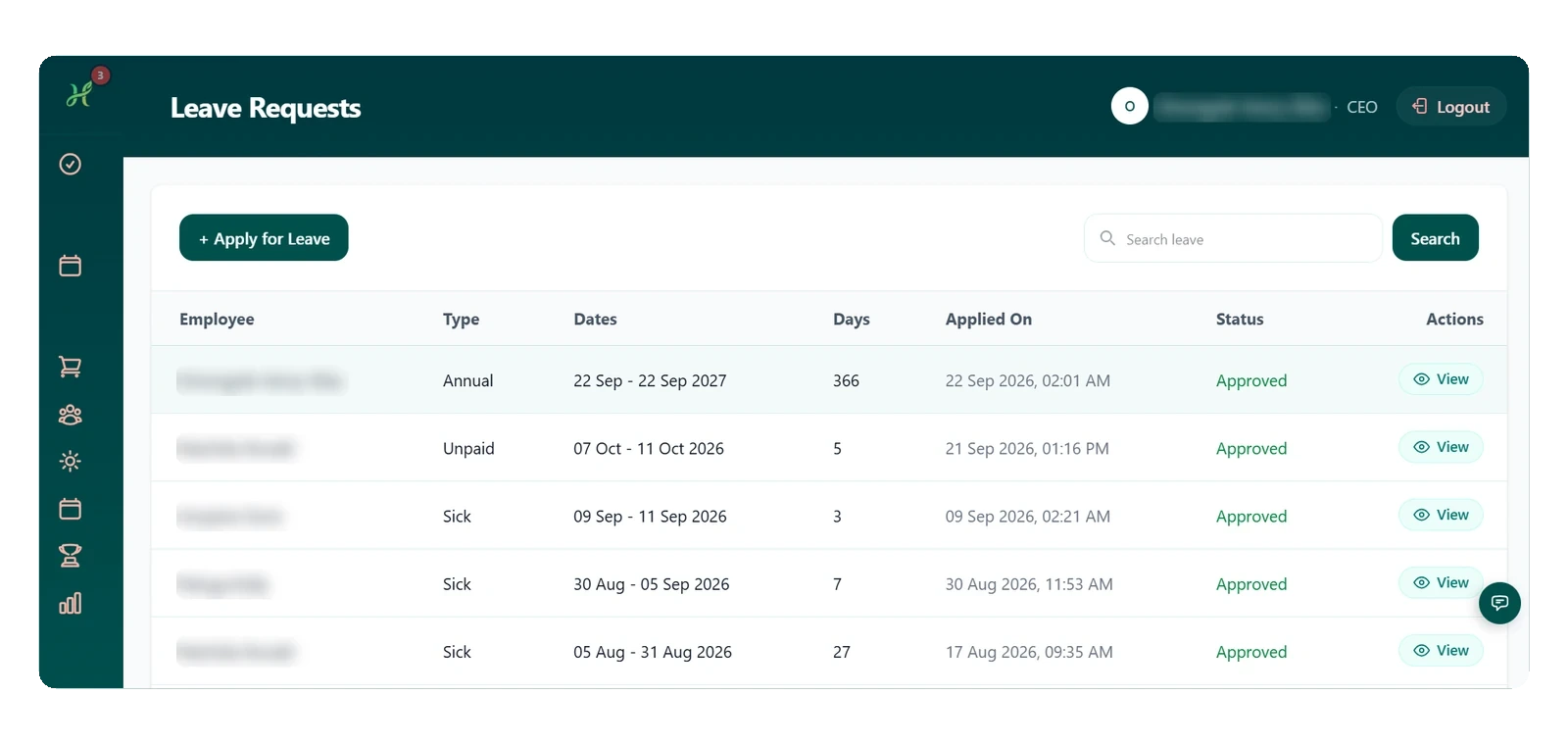
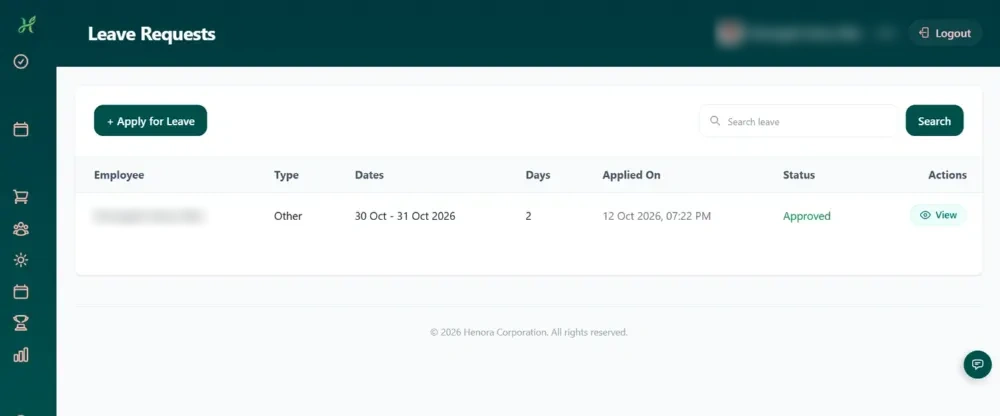
Leave requests
Leave requestsStaff apply, managers approve, all on record
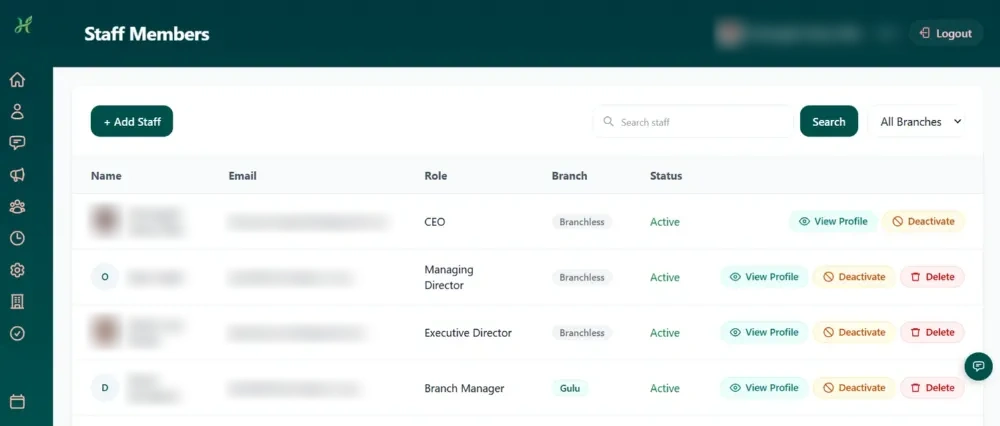
Staff members
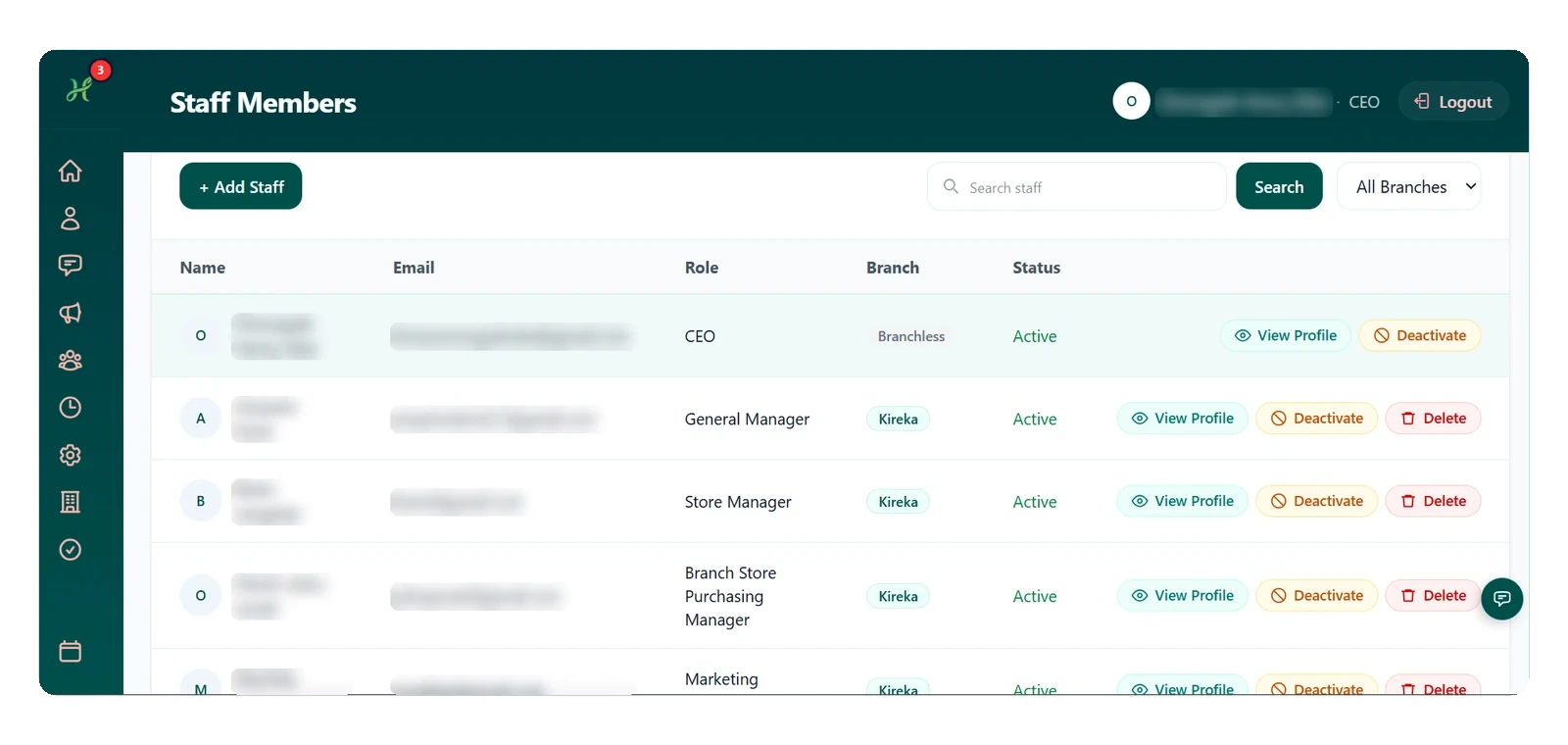
Staff membersYour whole team, their roles and their branches
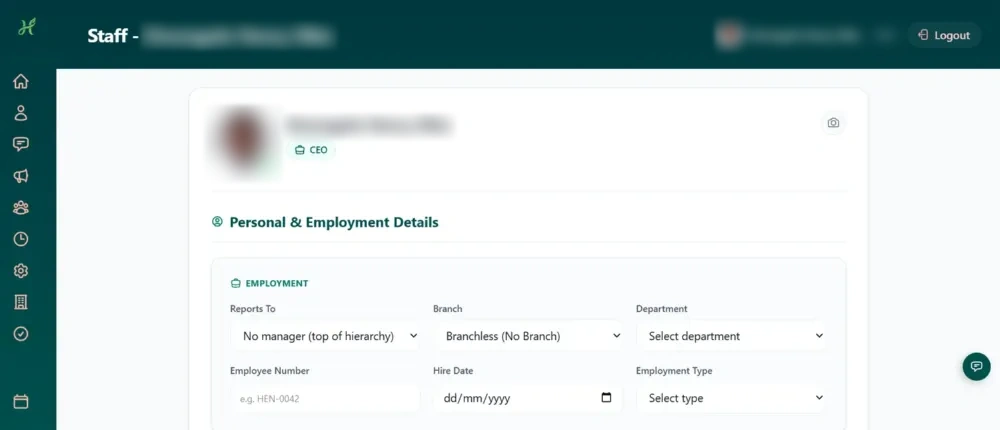
Staff profiles
Staff profilesEmployment details, reporting lines and branch

Sales and stock

Every sale and every item, tracked.

Record sales, watch stock in every branch, and get low stock and expiry alerts, with every product organised by category, brand and unit.

  • See every sale in one list, with invoice number, branch, customer, payment method and status.
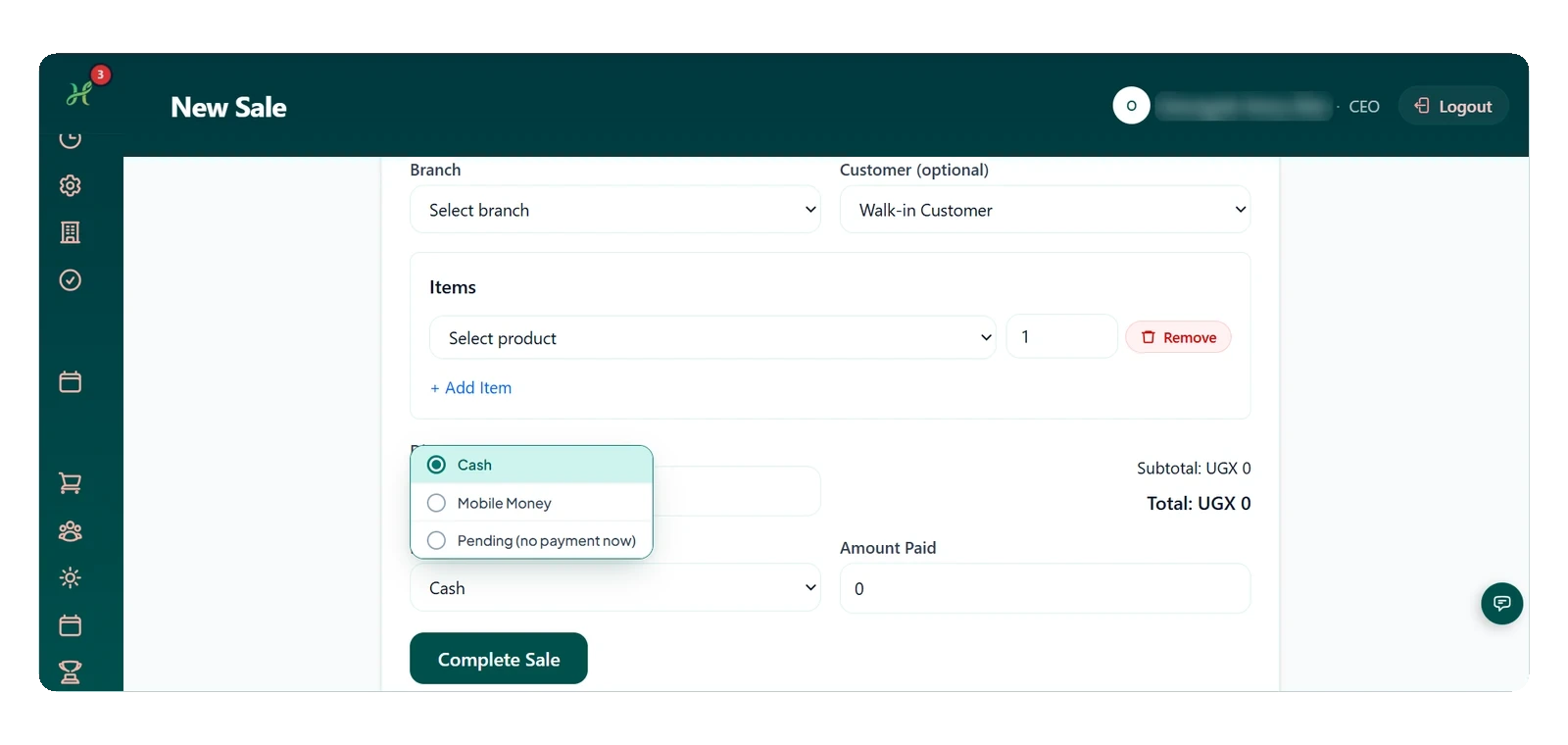
  • Record a sale: choose the branch and customer, add items, pick Cash, Mobile Money or pay later, then Complete Sale.
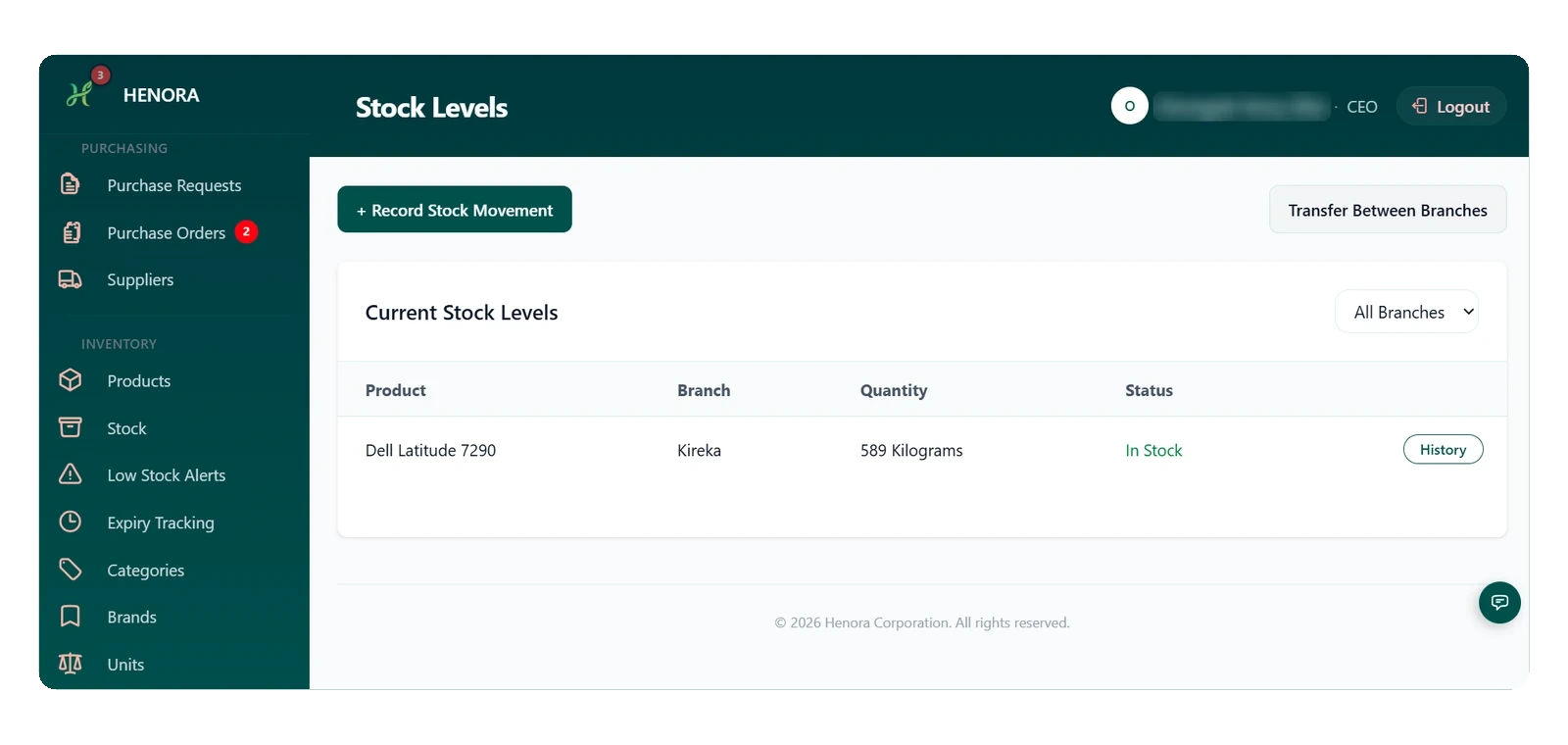
  • Check current stock in every branch, record stock movements, and transfer stock between branches.
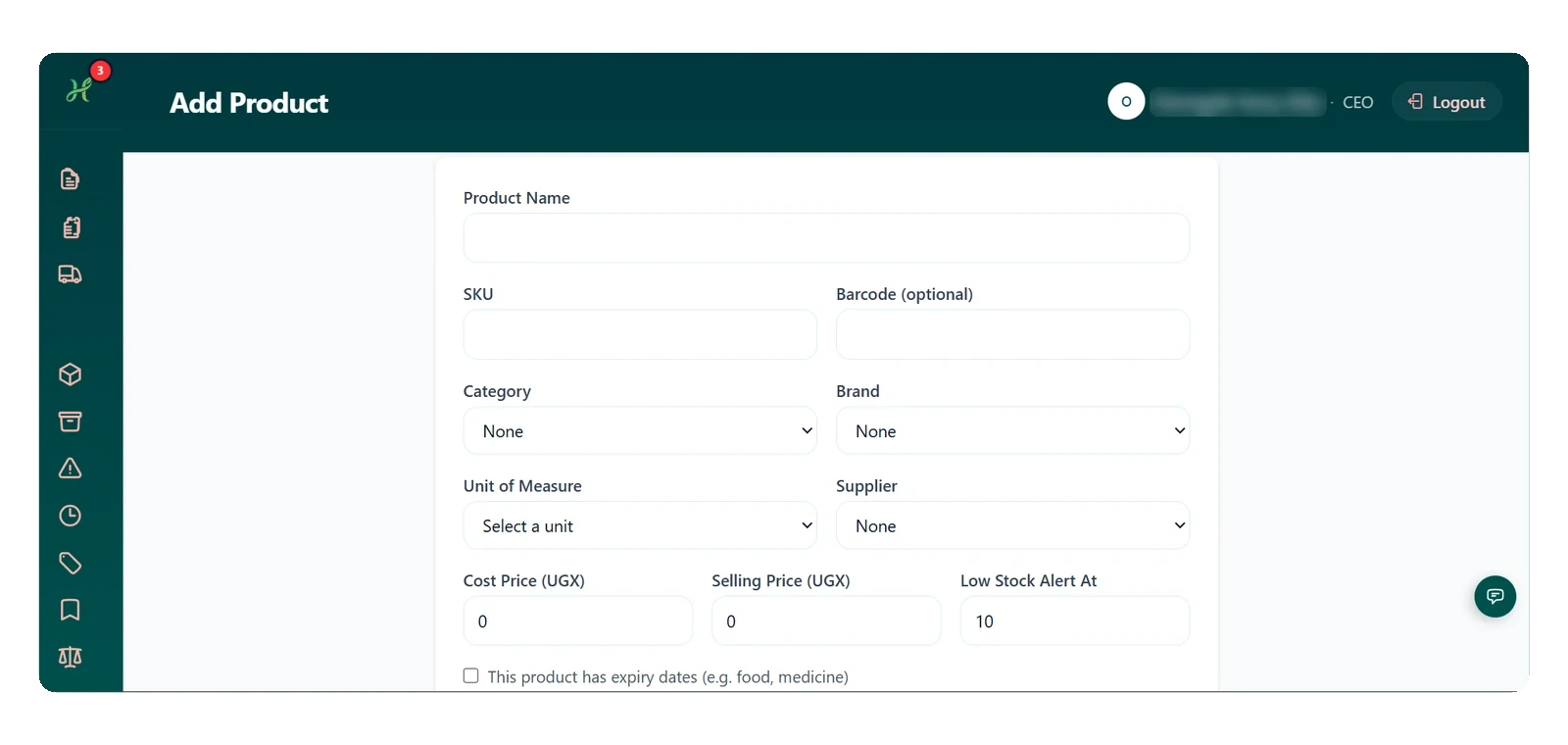
  • Add a product with its prices, a low stock alert level and expiry dates.
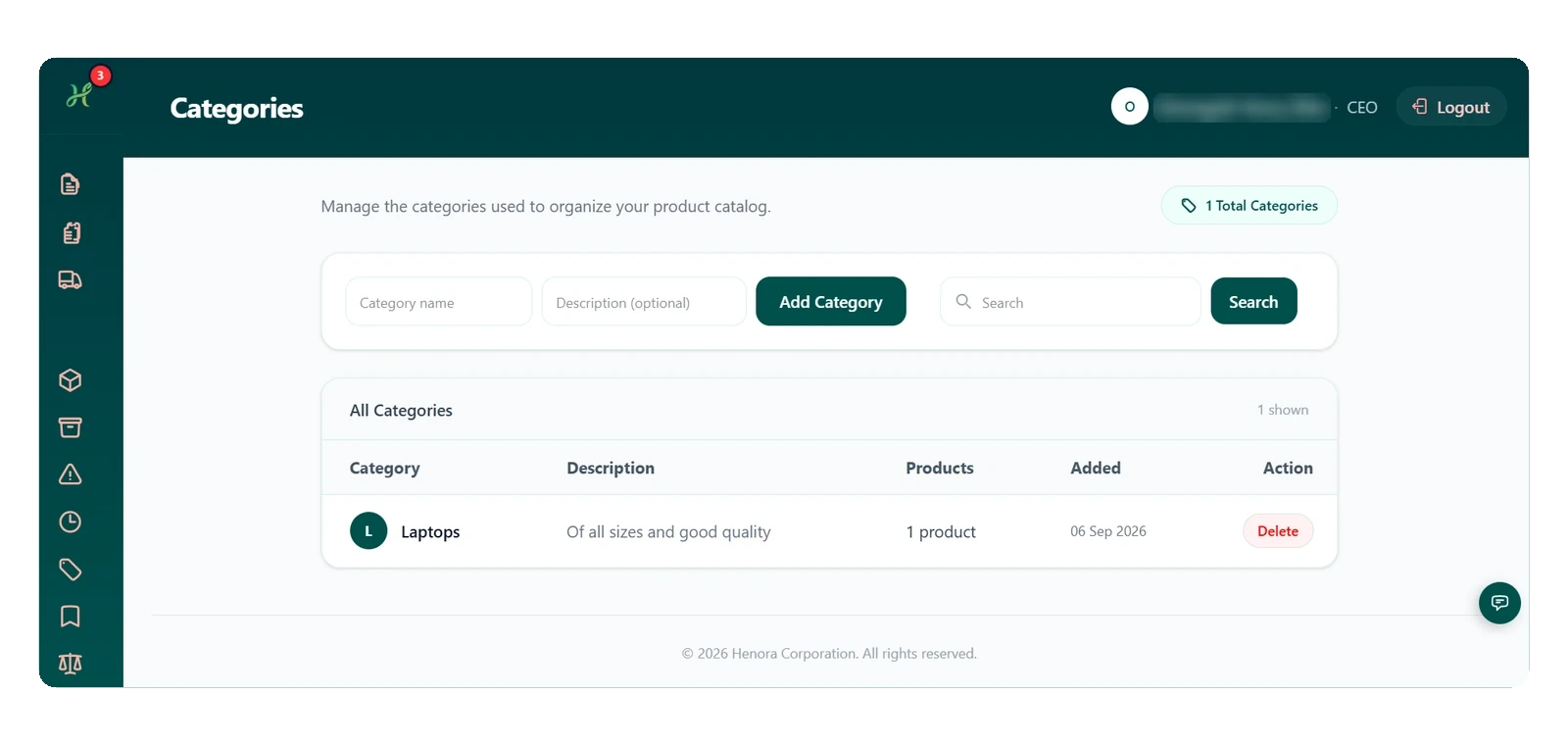
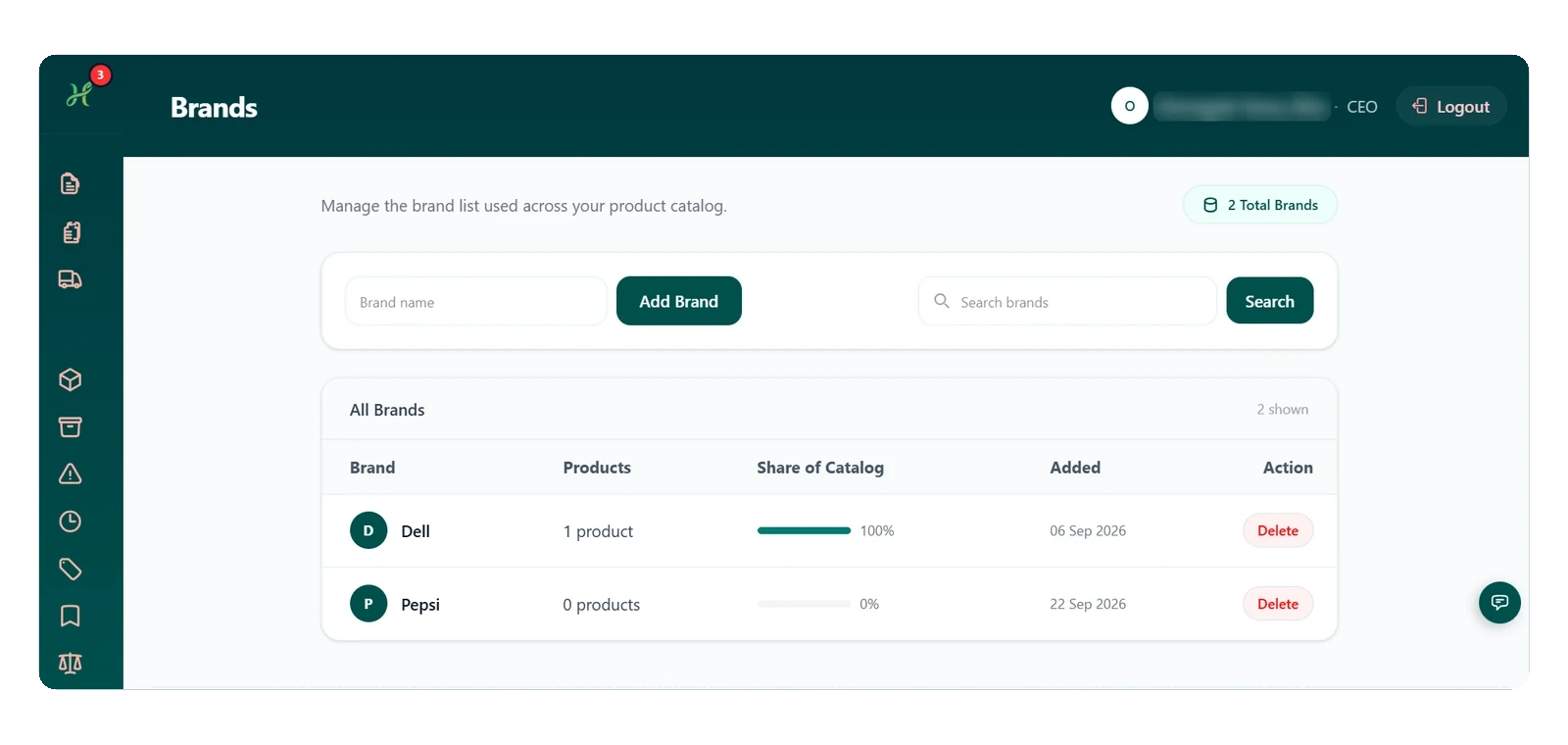
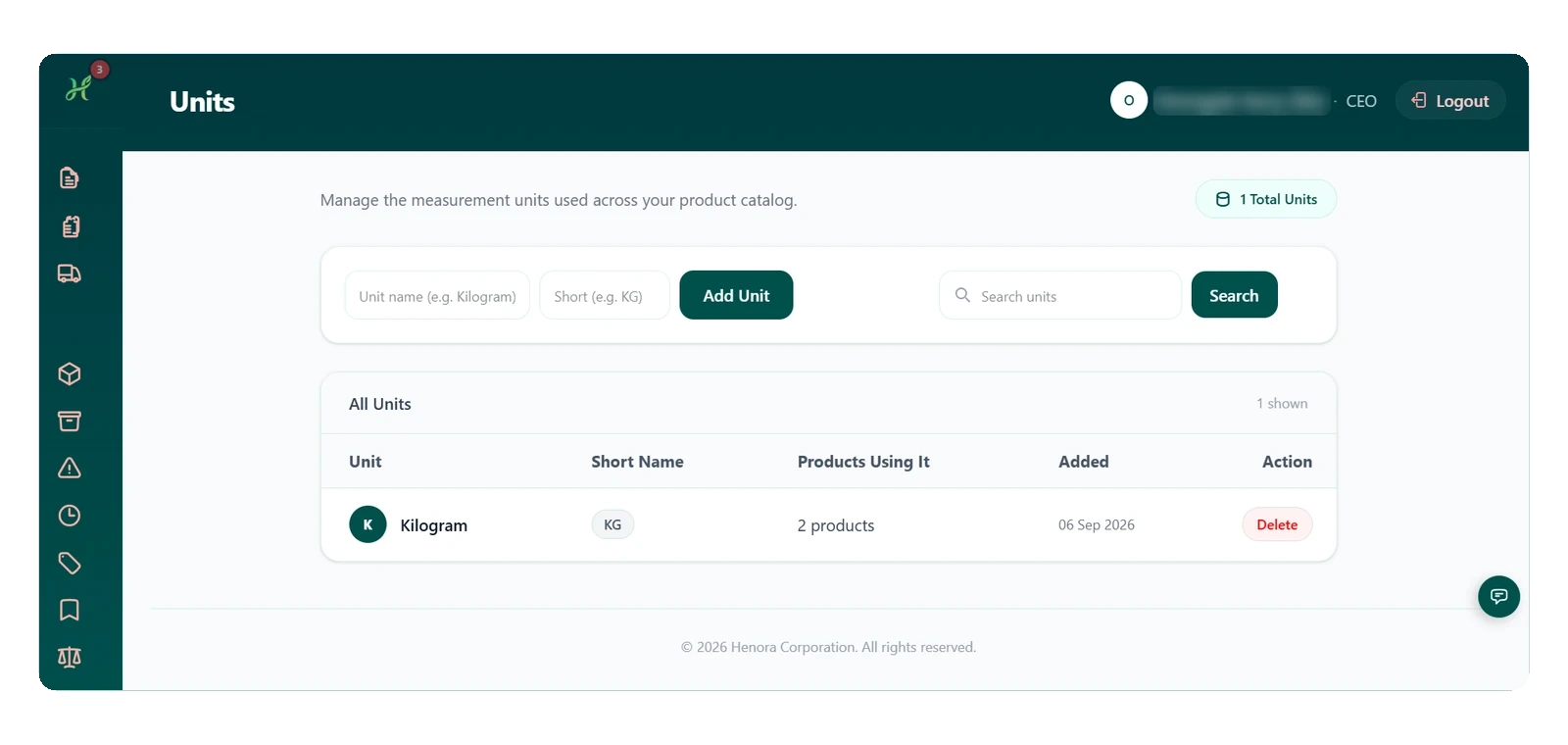
  • Organise products by category, brand and unit, each with its own list.
Sales list with invoice number, branch, customer, payment method and status New Sale form with branch, customer, items, payment method and Complete Sale Stock levels for every branch with Record Stock Movement and Transfer Between Branches Add Product form with prices, low stock alert level and expiry dates Categories list Brands list Units list

Business wallet

Every shilling, accounted for.

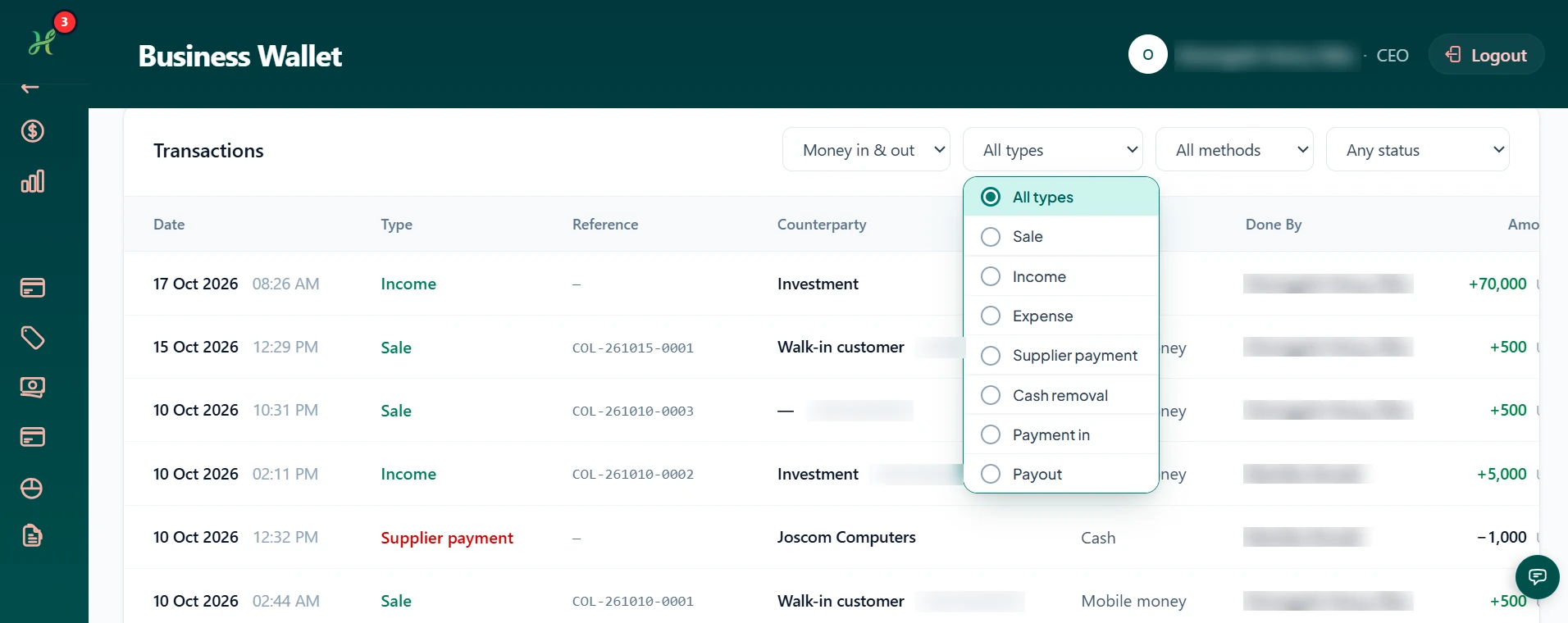
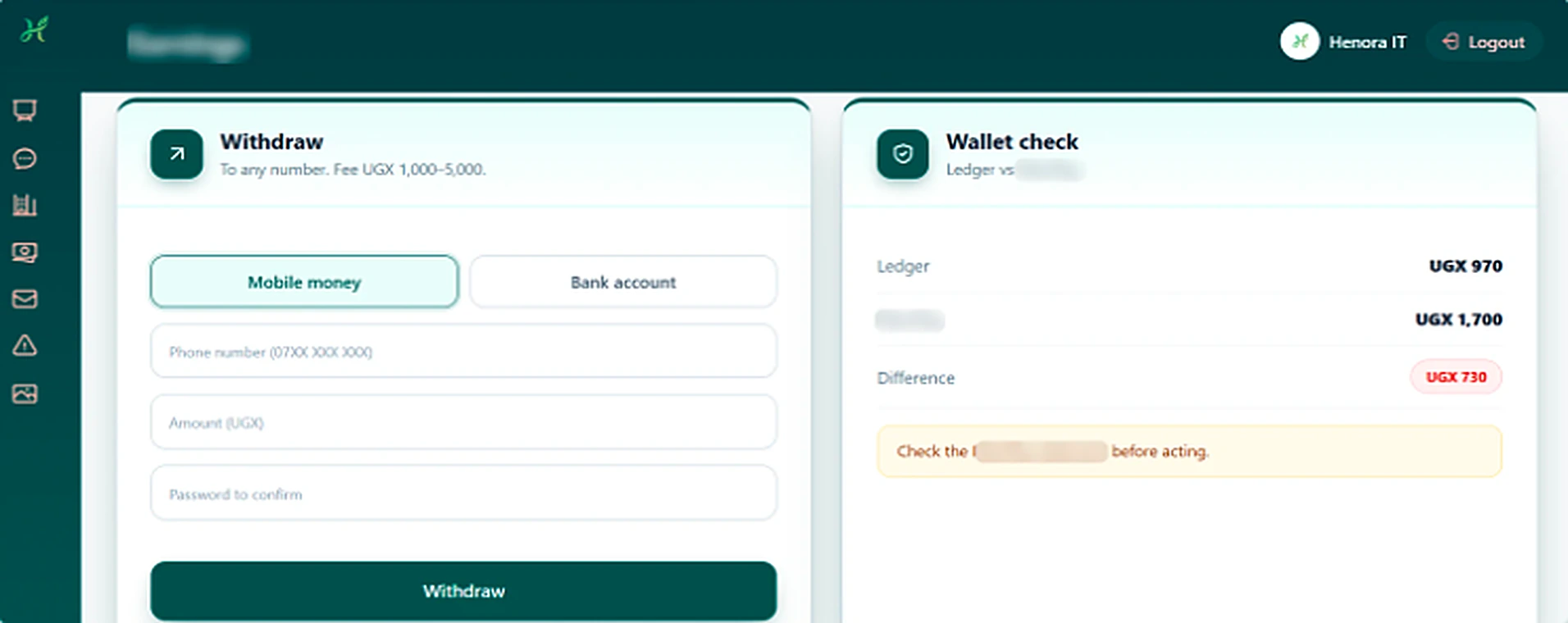
Follow mobile money and cash on hand, review every transaction and withdraw in moments, with each figure reconciled against your records.

  • Mobile money and cash on hand in one view.
  • Every transaction, filtered by type, method and status.
  • Withdraw to any number with the fee shown upfront.
  • Figures reconciled against your records.
Mobile money and cash on hand in one view Every transaction, filtered by type, method and status Withdraw to any number with the fee shown upfront Figures reconciled against your records

Staff management

Your whole team, across every branch.

Add staff, organise branches and departments, set exactly what each person can do, and handle leave, all in one place.

  • Add staff and filter your team by branch.
  • Set up branches, each with its own divisions.
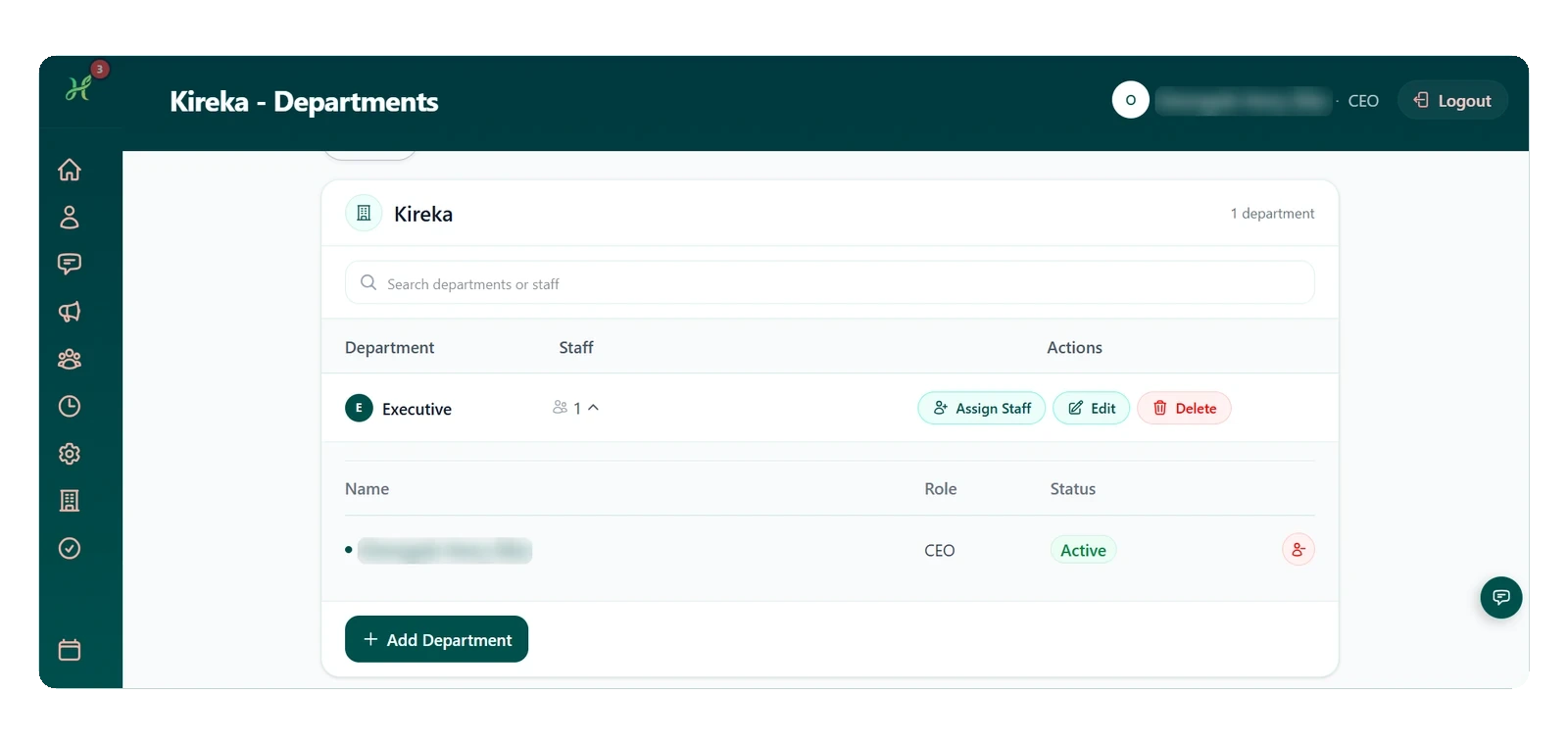
  • Organise departments and assign staff to them.
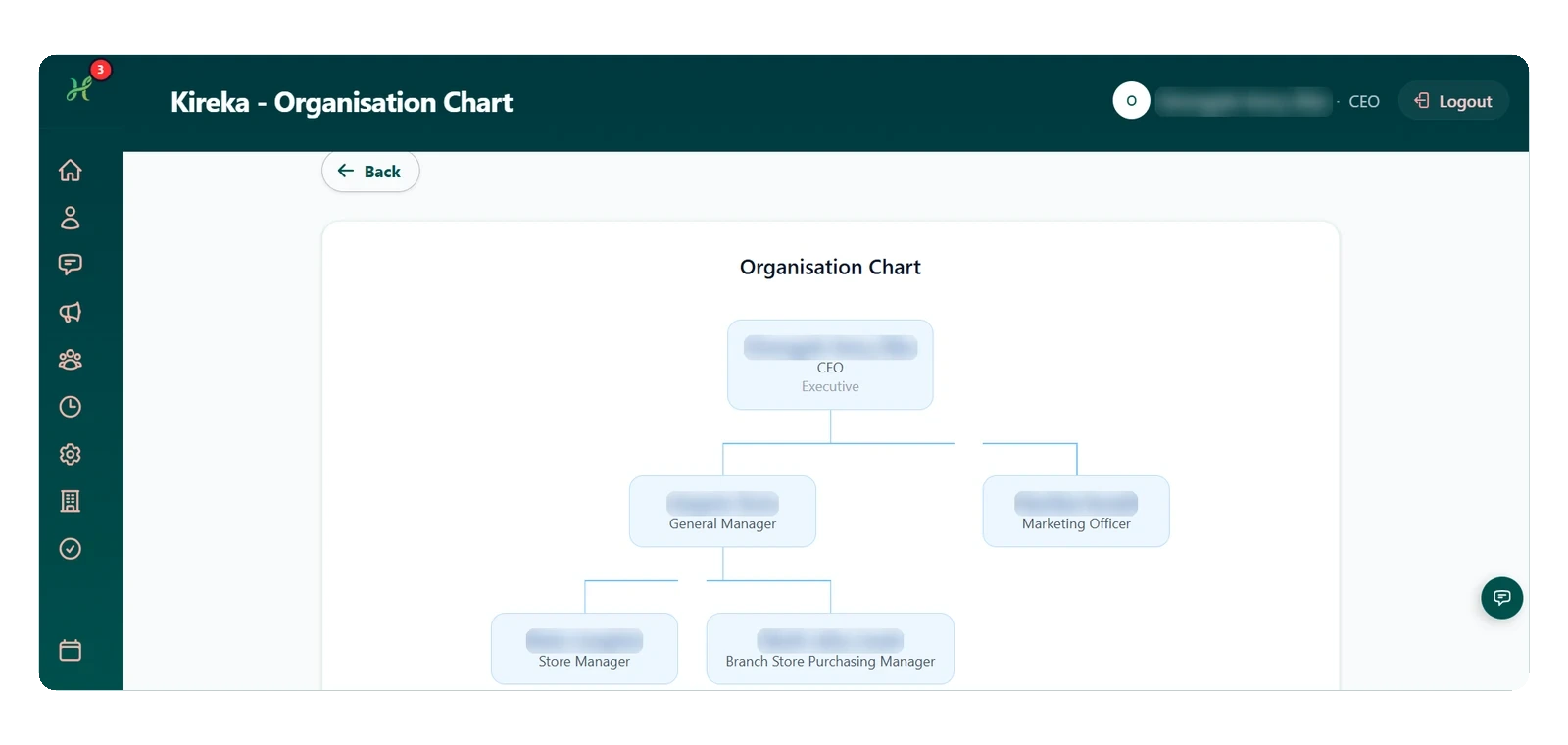
  • See your structure in a clear organisation chart.
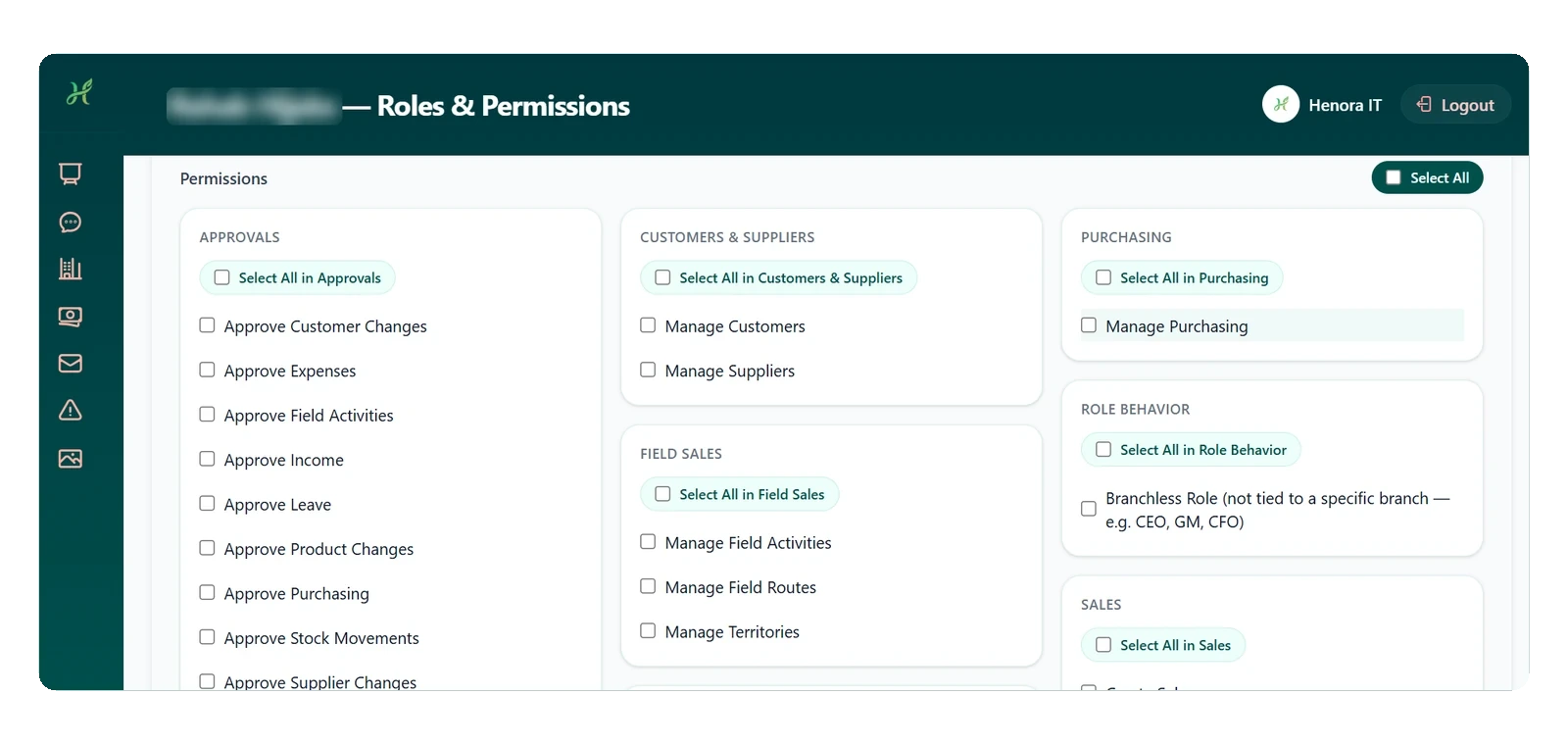
  • Create roles and choose exactly what each person can do.
  • Request and approve leave, with every decision recorded.
Staff list with branch filter Branches Departments and staff Organisation chart Roles and permissions Leave requests

Approvals

Every request reviewed and on record.

Requests reach the right person for a decision, and every outcome is kept in a clear history you can look back on.

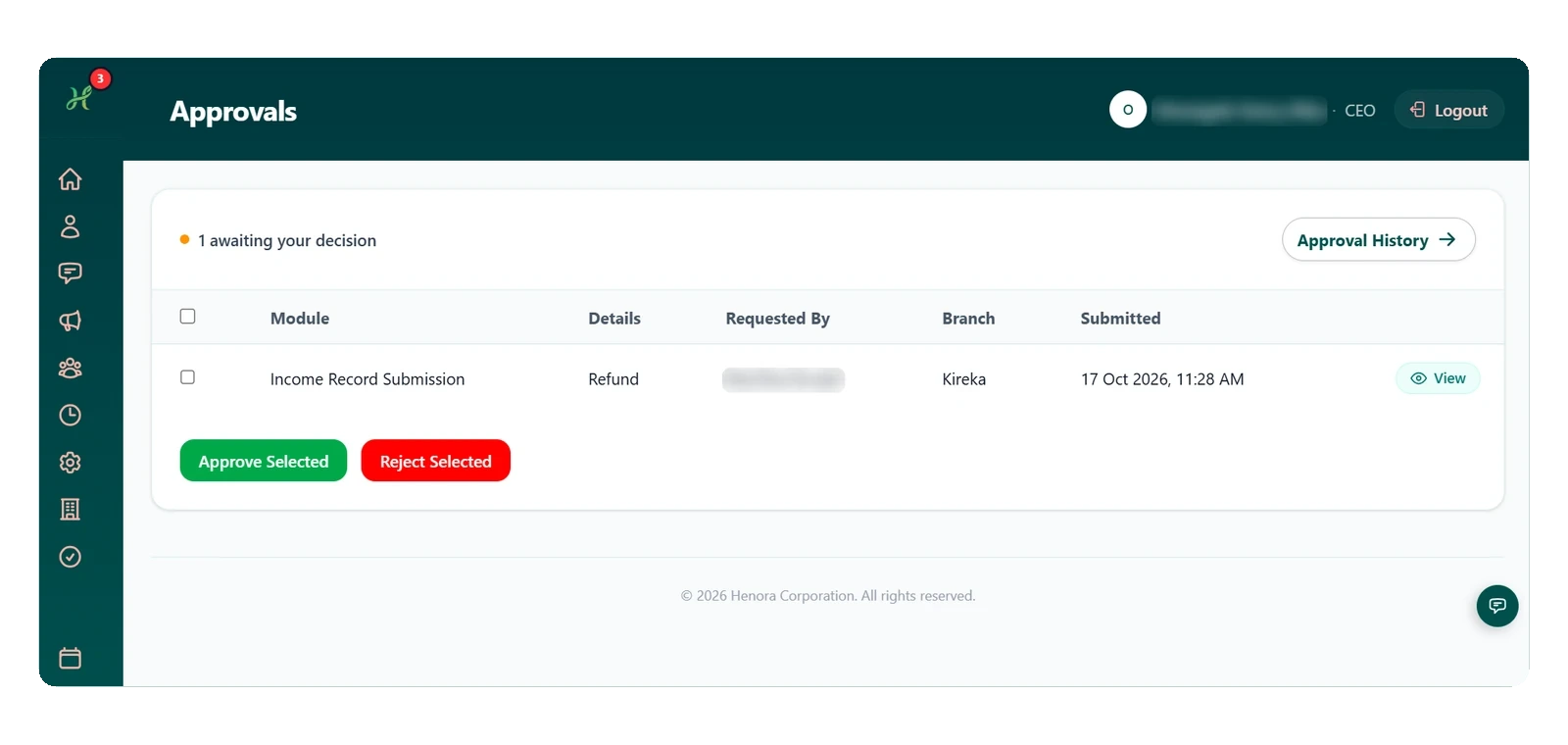
  • See requests waiting for your decision in one place.
  • Review past approvals and rejections at any time.
Approvals waiting for a decision Approval history

On every screen

Run your business from the phone in your pocket.

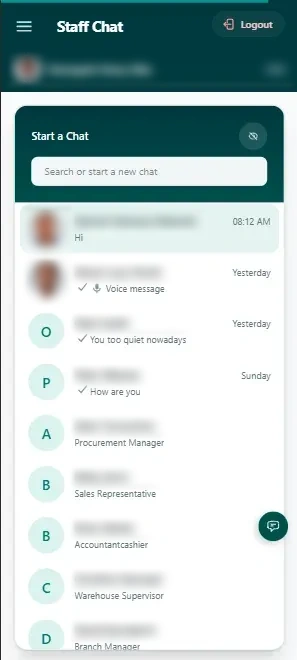
Staff chat on mobile
Staff chatTalk to your team instantly
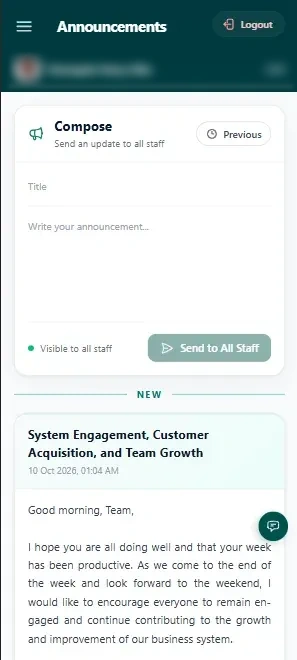
Announcements on mobile
Announcements to all staffReach everyone in one tap
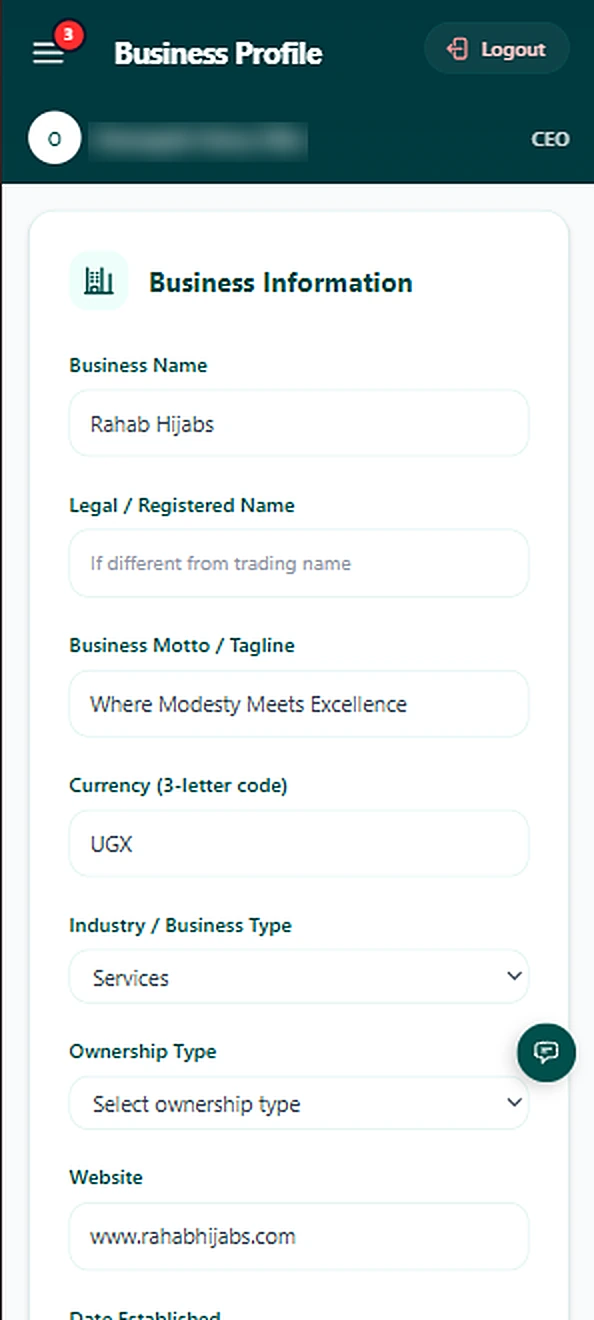
Business profile on mobile
Business profileYour business details, always up to date
Free to useunder a signed agreement
Every areaof your business in one system
All devicesphone, tablet or computer
Set up with youwe create your business

All in one system

Everything you do in a day, in one place.

Say goodbye to notebooks, scattered spreadsheets and phone calls just to find out what is in the store. Every part of Henora talks to the others, so your numbers always agree.

Make a sale

Record what a customer buys and take payment in under a minute.

Open this guide

Products and stock

Get your products and quantities in once, then let Henora keep the count.

Open this guide

Suppliers

Request, approve, order and receive goods, with every step on record.

Open this guide

Expenses and income

Know where money goes and where it comes from.

Open this guide

Reports

Turn your records into answers: what sold, what is in stock and what the business earned.

Open this guide

Approvals and leave

Let staff ask, let managers decide, and keep a record of every decision.

Open this guide

Chat and announcements

Keep the team talking inside the system, where the work is.

Open this guide

Branches and team

Set up the business the way it really works.

Open this guide

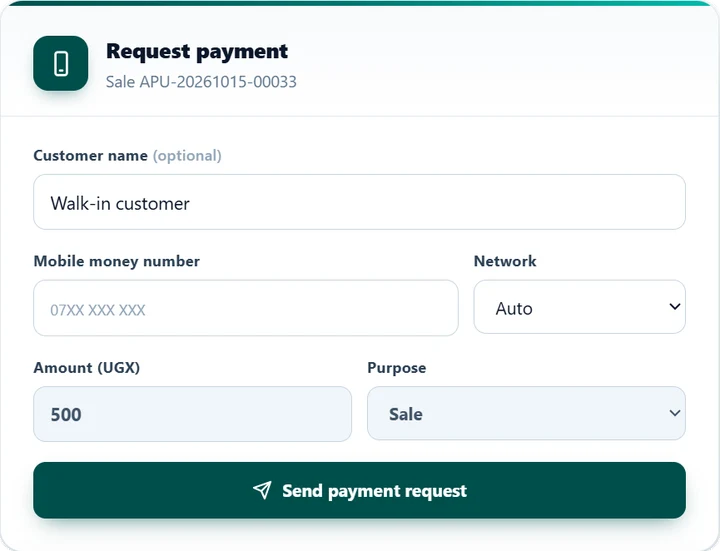
Sell via Mobile Money

Every payment, verified.

  • Enter the number, network and amount, then send the request.
  • The customer confirms with their PIN on their own phone.
  • Only confirmed payments count in totals and reports.
  • Cash and mobile money are recorded separately.
  • Switch a sale to cash at any time, and everything updates.
Request payment form PIN prompt on the customer's phone

Made for daily use

Built to be used every day.

On any phone or computer

Henora runs in the browser on any phone, tablet or computer, so your team can work from the shop, the store or the field.

Set up with you

We create your business with your details, so you start with a system that already fits your business from day one.

Your rules, your roles

Decide exactly what each role can see and do, and keep an activity log of who changed what and when.

Simple start

Up and running in four easy steps.

No long forms and no setup on your side. We do it with you, step by step.

  1. Contact us

    Call, email or send the form on our Contact page. Tell us about your business.

  2. We set up your business

    We create your business in Henora with all your details, so you start with a system that already fits your business.

  3. Sign the agreement

    We go through the terms and conditions with you, and you sign the contract.

  4. Use Henora, free under the terms

    Your team starts working in the system, free to use under the terms you agreed.

Ready to run your business from one system?

Tell us about your business. We set up your business with you, you sign the agreement, and you use Henora free under the terms you agree with us.

Chat with us